
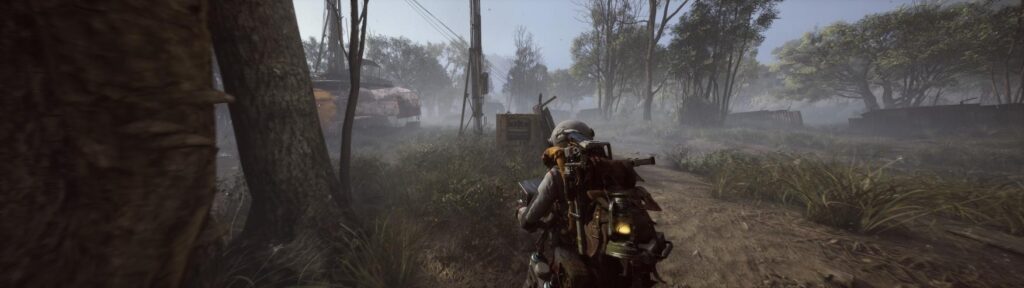
If you are playing the ARC Raiders playtest, you have likely noticed the game looks incredibly soft. This is a common side-effect of Unreal Engine 5’s Temporal Anti-Aliasing (TAA). While TAA is great for smoothing jagged edges, it often smears texture detail, making distant enemies blend into a “vaseline-like” haze.
Since the in-game settings are locked down, the best fix is to force-enable NVIDIA Legacy Image Sharpening at the driver level.
The Problem: NVIDIA hid this specific “Sharpening” toggle in recent drivers, replacing it with “Image Scaling” (which we don’t want). The Solution: A quick registry edit to bring the classic sharpener back.
⚠️ TL;DR: The Quick Fix
- Tool: Windows Registry Editor (
regedit)- Path:
HKEY_LOCAL_MACHINE\SYSTEM\CurrentControlSet\Services\nvlddmkm\Parameters\FTS- Target Key:
EnableGR535(Set Value to0)- Result: Unlocks the “Image Sharpening” slider in NVIDIA Control Panel.
Step 1: Unlocking the “Image Sharpening” Feature
Note: This does not modify game files. It strictly changes which options are visible in your GPU driver menu.
- Press Windows Key + R on your keyboard.
- Type
regeditand hit Enter. - Paste this path into the address bar at the top:
Computer\HKEY_LOCAL_MACHINE\SYSTEM\CurrentControlSet\Services\nvlddmkm\Parameters\FTS - Look for a file in the main window named EnableGR535 (or just
GR535on some driver versions). - Double-click it and change the Value data to
0. - Click OK.
Pro Tip: For the change to register, you usually need to restart your PC. Alternatively, you can restart just your graphics driver by pressing Win + Ctrl + Shift + B (your screen will flicker black for a second).
Step 2: Applying the Fix to ARC Raiders
Now that the feature is unhidden, we need to apply it specifically to the game executable (pioneergame.exe) rather than globally, to avoid over-sharpening your Windows desktop.
- Right-click your desktop and open the NVIDIA Control Panel.
- Go to Manage 3D Settings > Program Settings.
- Select ARC Raiders from the dropdown list.
- If you don’t see it: Click Add and look for
pioneergame.exein your recent apps.
- If you don’t see it: Click Add and look for
- You will now see a setting called Image Sharpening. (Note: If it still says “Image Scaling,” the registry fix didn’t take—try restarting).
- Set it to On.
Recommended Sharpening Values
Avoid cranking this to 100%, or the game will look grainy and you’ll get glowing “halos” around power lines and trees.
Our Recommended Settings
| Setting | Recommended Value | Description |
| Sharpen | 0.60-0.70 | Cuts through the TAA blur without creating visual artifacts. |
| Ignore Film Grain | 1.00 | Critical: ARC Raiders is a dark, atmospheric game. If you don’t set this to 1.00, the sharpener will try to sharpen the noise in the shadows, making the game look terrible. |
Step 3: Visibility in Dark Zones (Optional)
If the sharpening helps with clarity but you are still losing targets in the dark interiors of the map, you can tweak your color output. This is safer than using third-party filters which might flag anti-cheat.
In NVIDIA Control Panel > Adjust Desktop Color Settings:
- Digital Vibrance: Bump this to 60-65% (Makes enemy outlines distinct from the grey background).
- Gamma: Set to 1.15 (Slightly lifts the deepest blacks so you aren’t blind in caves).
Final Results and Safety Confirmation
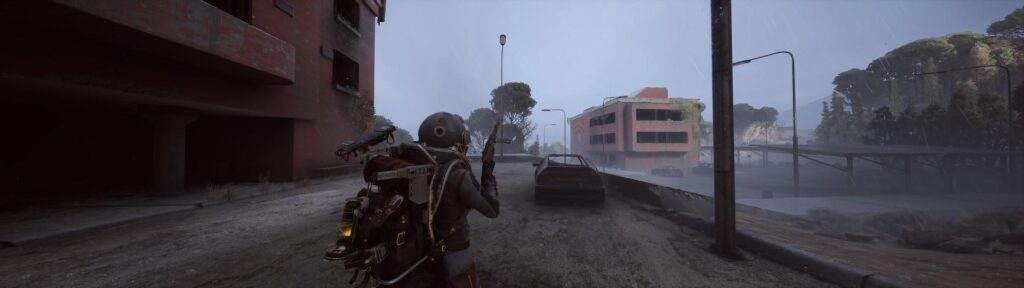
After applying these settings, your game should appear significantly sharper. Distant objects will be easier to track, and the overall “haze” common in modern titles will be reduced.
Regarding Fair Play and Anti-Cheat, this method is considered safe because:
-
It does not use “hooks” or overlays.
-
It does not provide “cheats” like wallhacks or ESP.
-
It uses official NVIDIA driver features provided by the manufacturer.
FAQ: Is this Bannable?
No. This method is completely safe to use in ARC Raiders.
- You are not injecting code into the game (like ReShade).
- You are not modifying game memory.
- You are simply using a native feature of your graphics card driver. Easy Anti-Cheat (EAC) does not flag official driver settings.
Last Updated on January 30, 2026

An avid listener of music from a number of countries. Writing is his hobby and passion. A follower of all the latest android and PC games. Not to mention his favorite: Mobile Legends!