
To improve performance in the 2026 build of Marathon, use this Marathon PC Optimization Guide to force the engine to utilize all available CPU cores. This tweak is specifically designed to stabilize your 1% lows and eliminate the stuttering commonly found in heavy simulation areas like Dire Marsh.
By modifying the game’s internal configuration, you can enable multi-threaded rendering submission, which offloads work from a single CPU bottleneck to your entire processor. While this significantly boosts frame stability on high-end Ryzen and Intel chips, be aware that it may cause “Rutabaga” errors or UI flickering if the engine desyncs.
Multi-Threaded Tweak Checklist
- File Path: Go to
%appdata% > Bungie > Marathon > Prefs. - The Edit: Open
cvars.xmland changeforce_enable_multi_threaded_render_submitfromvalue="0"tovalue="1". - Persistence: If the game resets your changes, right-click
cvars.xml, select Properties, and check Read-only. - Stability: If you see UI glitches, revert the value to
0or delete the file to let the game generate a fresh default.
Safety Warning: This modification involves editing your game’s internal configuration files. Modifying
cvars.xmlcan lead to UI flickering, game crashes, or “Rutabaga” errors. Always create a backup of your file before proceeding.
Marathon: PC Optimization Guide
1. Locate Your Configuration File
The cvars.xml file stores your persistent hardware settings. To find it:
- Press
Win + Ron your keyboard. - Type
%appdata%and hit Enter. - Navigate through the following folders:
Roaming>Bungie>Marathon>Prefs
- Find the file named cvars.xml.
2. Applying the Multi-Threaded Tweak
To improve your 1% lows and overall frame stability, follow these steps:
- Open
cvars.xmlwith Notepad or a code editor (e.g., Notepad++). - Search (Ctrl+F) for the following line:
<cvar name="force_enable_multi_threaded_render_submit" value="0" /> - Change the
value="0"tovalue="1". - Save the file and close it.
3. Performance Analysis: What to Expect
While exact benchmarks vary by hardware, community testing has shown the following:
- Best Results: High-core count CPUs (Ryzen 7/9 or Intel i7/i9) coupled with high-end GPUs where the CPU was previously the bottleneck.
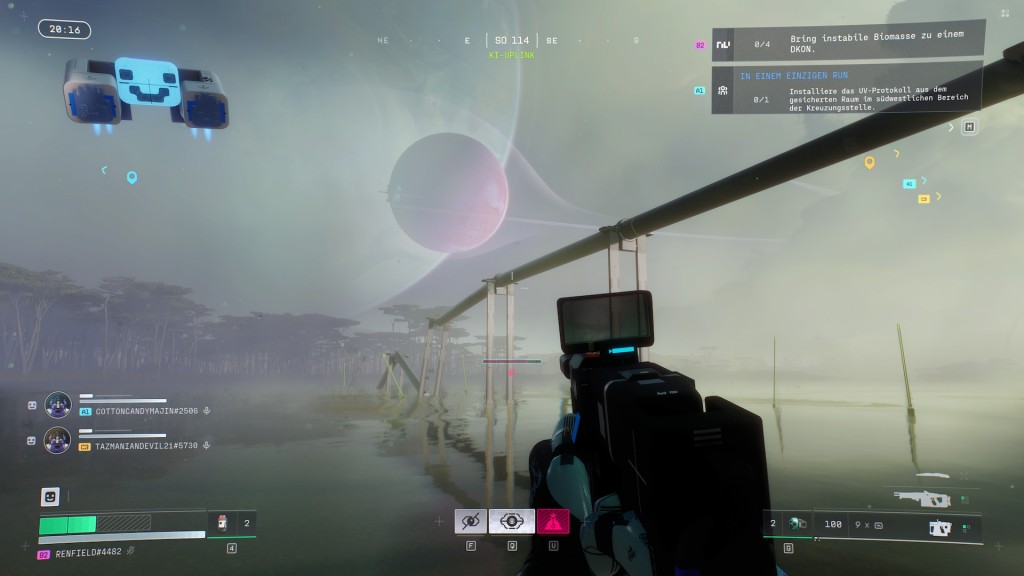
- Map-Specific Gains: Noticeable stutter reduction in Dire Marsh due to the heavy foliage and AI pathing calculations.
- Stability Trade-off: If you experience “glitchy” UI or flickering when opening your inventory/map, the engine’s multi-threading is desyncing.
4. Troubleshooting & Best Practices
If your game becomes unstable after this change:
- Revert: Change the value back to
0. - Reset: If the file becomes corrupted, delete
cvars.xmlentirely. Marathon will generate a fresh, default version the next time you launch the game. - Read-Only: Some users report the game overwriting this file on launch. If your change doesn’t “stick,” right-click
cvars.xml> Properties > check Read-only. (Note: You must uncheck this to change in-game settings later).
Last Updated on April 3, 2026

An avid listener of music from a number of countries. Writing is his hobby and passion. A follower of all the latest android and PC games. Not to mention his favorite: Mobile Legends!