
To get the best experience in Resident Evil Requiem, you must manually calibrate your settings to fix the game’s “washed-out” lighting and audio lag. Start by setting your Color Space to sRGB and using the “Max-Min-Standard” brightness sequence to secure true, deep blacks.
For performance and precision, ensure DLSS/FSR is locked to Quality and manually adjust the four independent camera profiles for both Grace and Leon. If you’re wearing headphones, disable in-game 3D Audio and Reverb to prevent artificial echoing and ensure clear directional sound cues.
Dive in for the in-depth breakdown of this guide below.
Resident Evil Requiem: The Definitive Technical Optimization Guide
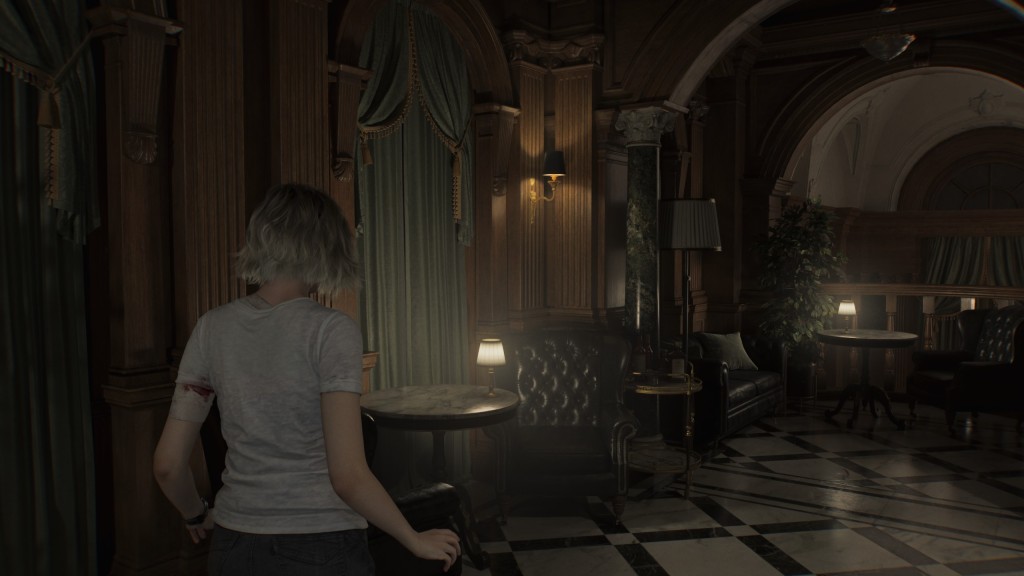
🟢 Graphics & Visual Fidelity
Achieving the perfect balance in a horror title requires maximizing Dynamic Range to ensure that shadows are oppressive but detailed.
1. Color Space & HDR
- Recommendation: sRGB
- Why: sRGB typically provides deeper blacks and higher gamma curves than Rec. 709, which can appear “washed out” on many PC monitors.
- Expert Tip: If you are playing on a high-end OLED TV, toggle between both; your display’s internal processing may handle Rec. 709 more accurately.
2. Calibrating Dynamic Range
To prevent “crushed blacks” or “blown-out highlights,” follow this specific calibration sequence:
- Max Brightness: Increase to maximum. This preserves data in high-exposure areas (like fire or flashlights).
- Min Brightness: Decrease to minimum. This ensures the engine utilizes the darkest possible black point for shadow depth.
- Standard Brightness: Adjust this last, specifically to the level suggested by the in-game calibration image.
3. Performance & Upscaling (DLSS/FSR)
- The “Reset” Bug: Note that Upscaling Mode (NVIDIA DLSS) may revert to “Performance” after a game restart. Always verify this is set to Quality at the start of a session to avoid unnecessary blurriness.
- Framerate Fix: If you encounter stuttering in late-game areas, the most effective individual setting to lower is Mesh Quality.
🔊 Audio Configuration
Horror relies on spatial awareness. To maintain the original sound mix intended by the developers, use these settings:
| Setting | Recommended Value | Reasoning |
| Volume Sliders | Maximum (Default) | Keeps the sound mix balanced as intended. |
| Dynamic Range | Wide | Provides the most natural, uncompressed audio. |
| Sound Reverb | Off | Prevents artificial echoing that can muddy the original mix. |
The 3D Audio Trap
While 3D Audio & Object-based Audio sound promising, they often degrade quality when paired with external software.
- Verdict: Disable these settings if you use Windows Sonic or Dolby Atmos for Headphones.
- Surround Sound: For physical speaker setups, refer to the Official Dolby Placement Guide to ensure proper channel alignment.
🕹️ Camera & Control Sensitivity
Resident Evil Requiem handles camera settings uniquely by splitting them between characters and perspectives.
Independent Calibration
There are four unique profiles that do not sync. You must manually adjust Camera Speed and Acceleration for:
- Grace (First-person)
- Grace (Third-person)
- Leon (First-person)
- Leon (Third-person)
[!IMPORTANT]
Mouse/Keyboard and Controller share the same sensitivity values. If you switch between input methods, you will likely need to re-adjust your sliders.
Last Updated on March 13, 2026

An avid listener of music from a number of countries. Writing is his hobby and passion. A follower of all the latest android and PC games. Not to mention his favorite: Mobile Legends!